How Applicant Tracking Systems Really Work, and How to Optimise Your Resume
What the software does, what it does not do, and the practical steps that improve your chances of being found and read.
1. What an ATS Is
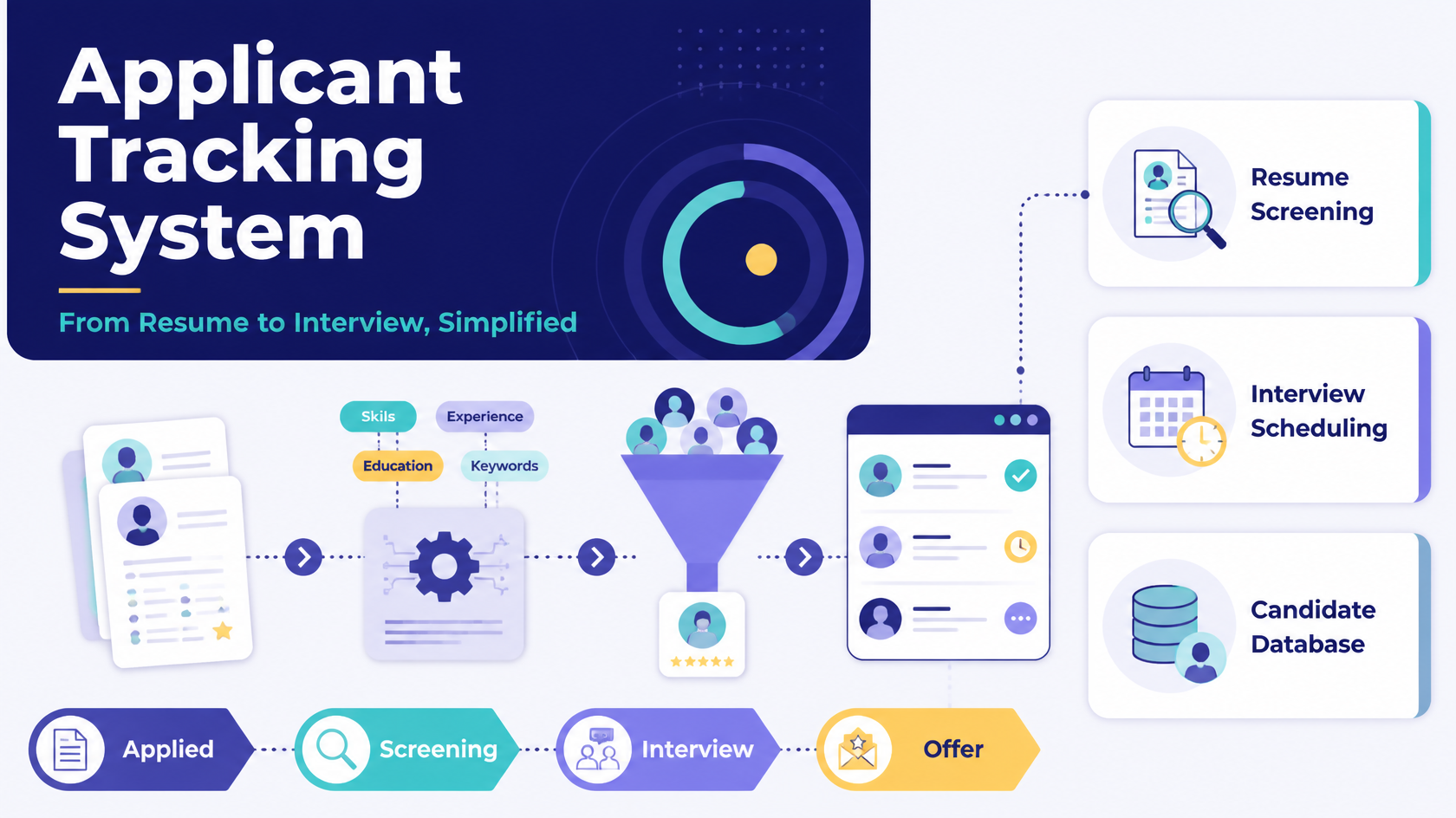
An Applicant Tracking System (ATS) is software that employers use to collect applications, organise candidates, track them through hiring stages and manage communication. Most companies of any size use one, and many job applications you submit online land in one. At its core it works like a searchable database of candidates, built around the job opening a recruiter created.
A widespread claim says that an ATS silently throws out most resumes, so a resume without special optimisation "never reaches a recruiter". The evidence does not support that, and understanding the difference changes how you should prepare.
2. What an ATS Actually Does
- Parses your resume. The software extracts text and sorts it into fields such as name, contact details, job titles, employers, dates, skills and education.
- Stores it against the job opening. Recruiters enter the job title, required skills and experience, and your profile is attached to that role.
- Lets recruiters search and filter. Recruiters search by keywords, job titles, skills, certifications and years of experience. Without relevant terms in your resume, you will not appear in those searches.
- Can compare and score. Some systems compare a resume with the job description and show a match percentage or ranking. These scores are an aid for the recruiter, not a verdict.
- Applies employer-set filters. Employers can add screening questions, such as work authorisation, licences or location, and can choose to act on the answers.
3. The Myth and the Evidence
In 2025, resume-builder company Enhancv interviewed 25 U.S. recruiters across industries including technology, healthcare and finance. Of those, 92% said their systems do not automatically reject resumes because of formatting, content or design. Match scores were available in about 44% of the systems, but only about 8% of recruiters used them to reject candidates automatically, and mostly for clear dealbreakers such as missing work authorisation, a required licence or location mismatch.
Several points are worth keeping in mind:
- The sample is small. Twenty-five interviews is an indication, not a census, and some commentators have questioned the study. Treat it as strong anecdotal evidence rather than a proven law.
- Volume is the real gate. A single role can attract hundreds or even thousands of applications. Qualified people are often missed because a recruiter never reached them, not because software deleted them.
- Settings differ by employer. Some auto-rejections come from specific employer configuration, such as knockout questions, rather than the software judging your resume. Smaller companies often skip heavy automated screening entirely.
- Recruiters report where the myth comes from. In the same research, most said job seekers picked it up from social media posts.
The honest summary: an ATS rarely rejects you on its own, but it strongly shapes who a busy recruiter finds, in what order, and how quickly. The goal of optimisation is therefore to be parsed correctly, found in searches, and ranked well, not to "beat a robot".
4. How to Optimise Your Resume
4.1 Use the employer's keywords, truthfully
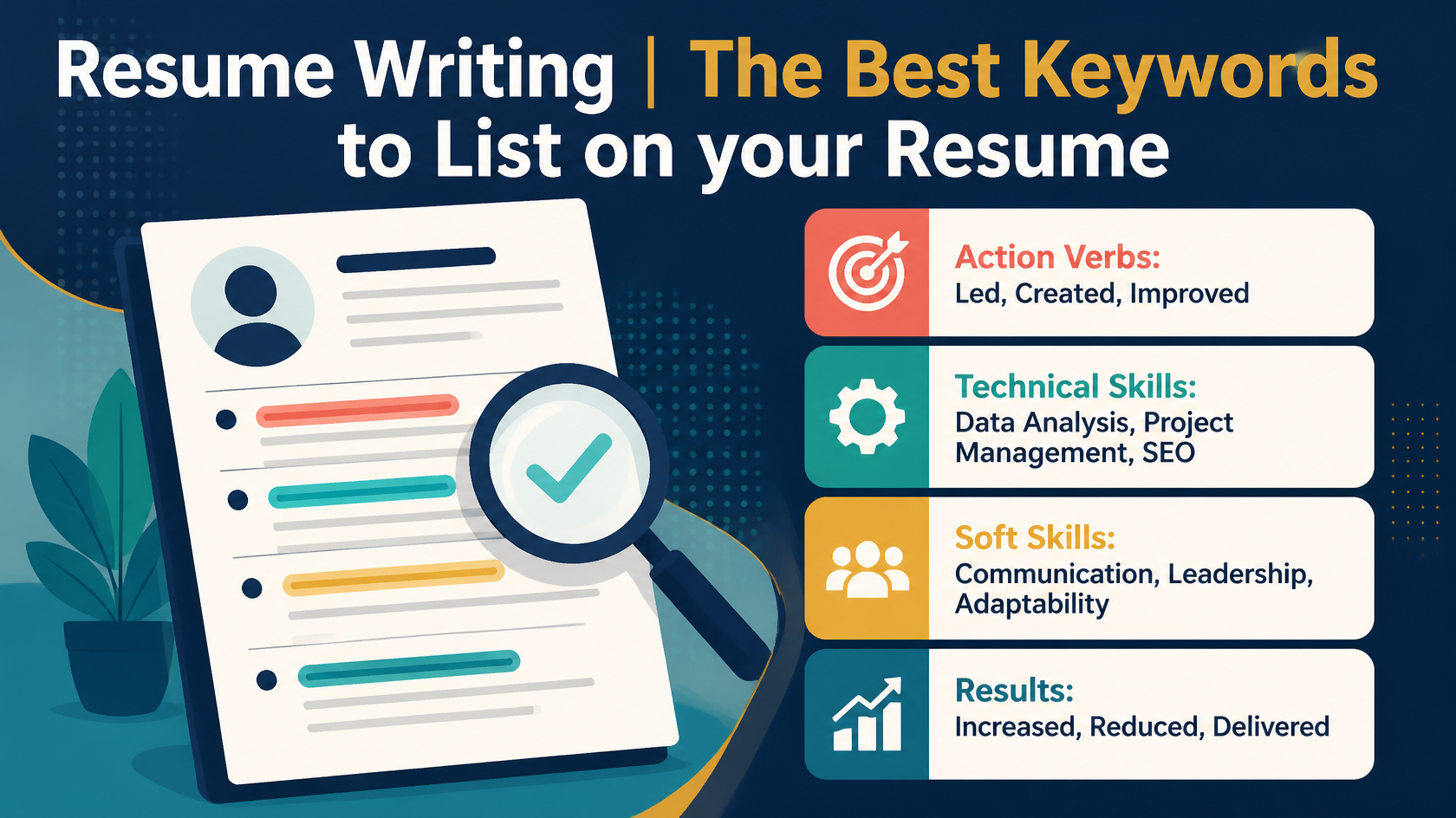
Recruiters build searches from the job description, so it is the best source of your keywords. The job title is the single most important term.
- Highlight the title, required skills, tools, certifications and years of experience in the posting.
- Where you genuinely have the skill, use the same wording the employer uses.
- Write both the full form and the acronym once, for example Customer Relationship Management (CRM).
- Place keywords inside achievement bullets, your summary and a skills section, not only in a keyword list.
- Never add skills you lack. Claims are checked in interviews and background checks, and keyword stuffing makes a resume hard to read for the human who ultimately decides.
4.2 Keep the layout simple and parseable
Parsing is where formatting causes real damage. Complex layouts can scramble the reading order or cause fields to be skipped.
- Single column. Multi-column layouts and sidebars are among the most commonly cited causes of scrambled text.
- Avoid tables and text boxes for core content such as work history or skills. Text in them may be ignored or read out of order.
- Keep key information out of headers and footers. Many parsers skip them, so place your name and contact details in the main body.
- Skip images, icons, logos, skill bars and charts. An ATS cannot read them. Write "Phone" rather than using a phone icon.
- Use standard fonts and plain bullets. Avoid unusual symbols.
- Use consistent date and title formats.
4.3 Use standard section headings
Parsers recognise familiar labels. Use headings such as Summary, Work Experience (or Experience), Education, Skills and Certifications. Creative headings such as "My Journey" or "What I Bring" can confuse the parser and slow human scanning.
4.4 Choose the right file format
- Follow the posting. If the employer specifies PDF or Word, do exactly that.
- If nothing is specified, a Word (.docx) file is commonly regarded as the safest for parsing, and a text-based PDF generally works well in modern systems.
- The type of PDF matters more than the extension. Export directly from Word or Google Docs so the text stays selectable. A scanned or image-based PDF, or a design-tool export where text has become shapes, can fail to parse.
- Quick test: open your file and try to select and copy the text. If it pastes cleanly into a plain text editor in the right order, a parser will probably read it well.
- Keep a PDF and a Word version ready, and name the file clearly, for example FirstName_LastName_JobTitle.
4.5 Answer screening questions carefully
The filters that actually reject candidates are usually the ones recruiters set deliberately: work authorisation, licences, location, minimum qualifications. Answer these accurately, because they are often a more real gate than any keyword score.
5. Beyond the Software: Get Noticed by a Human
Because recruiters are overwhelmed by volume, a resume has to work for both the system and a person who may spend only seconds scanning it.
- Lead with a short summary that states your role, scale and strongest results.
- Put the most relevant achievements first in each role.
- Quantify impact: money saved, time reduced, people led, revenue influenced.
- Apply early. Recruiters often review the earliest applicants first.
- Where possible, add a referral or direct message to the recruiter or hiring manager. This takes you out of the pile.
- Keep your online profile consistent with your resume.
6. Common Mistakes
|
Mistake |
Why it hurts |
Fix |
|---|---|---|
|
One generic resume for every job |
Misses the employer's search terms |
Keep a master resume and tailor a version per role |
|
Fancy two-column design |
Text order scrambles in parsing |
Single column, simple formatting |
|
Contact details in the header |
May be skipped by the parser |
Put them in the body |
|
Scanned or image PDF |
No readable text |
Export a text-based PDF or use .docx |
|
Keyword list with no context |
Looks stuffed, proves nothing |
Use keywords inside results-based bullets |
|
Invisible or white-font keywords |
Readable once formatting is stripped, damages trust |
Never do this |
7. Pre-Submission Checklist
- Job title from the posting appears in your headline or summary.
- Top required skills appear in context, using the employer's wording.
- Acronyms and full forms are both present.
- Single-column layout with standard headings.
- Contact details are in the body, not a header.
- Text-based PDF or .docx, unless the posting asks otherwise.
- Copy and paste test passes.
- Screening questions answered accurately.
- Every claim is true and can be explained in an interview.
8. Key Takeaway
The ATS is mostly a sorting and search tool, and a person still makes the decisions. Write a clean, honest resume that the software can read, the employer's keywords can find, and a busy recruiter can understand in seconds.
Sources consulted: Enhancv's 2025 recruiter study as reported by multiple outlets, Jobscan, Santa Clara University Career Center, Columbia Career Education, and published ATS formatting guides. Recruiter practice varies by employer and system.